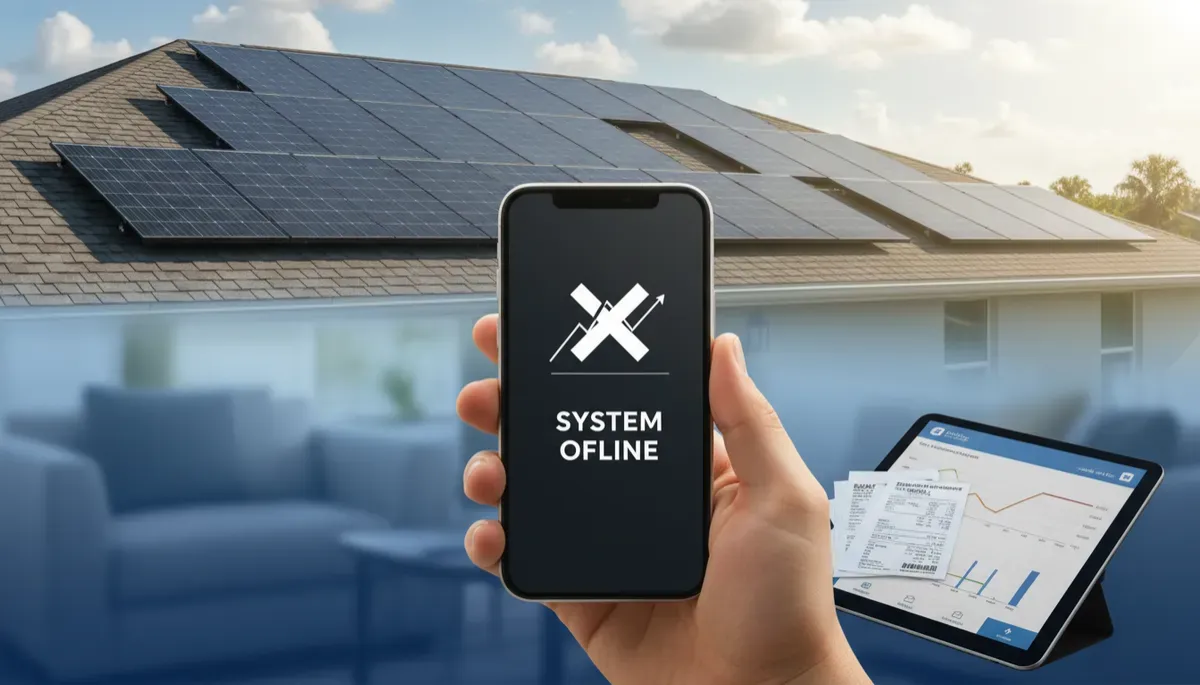
Solar Error Code? Ask Sunny, Our 24/7 AI Assistant
Yes. If your solar inverter, battery or monitoring app is showing an error code or alert, you can send it to Sunny, the AI assistant on fusedsolarandroofing.com, at any hour, for any brand: Tesla, Enphase, SolarEdge, FranklinWH, Generac, SMA, Fronius or Chilicon. Type the code or send a screenshot of your app or a photo of the display, and Sunny will tell you what the alert generally means, whether there is a safe step you can take yourself, and, when there is not, collect your address and a good time for a technician. Fused Solar and Roofing is a licensed roofing (CCC1331058), electrical (EC13014750), and building contractor (CBC1252064) — all three in-house.
Sunny is Fused Solar and Roofing's AI assistant, available any hour on fusedsolarandroofing.com, and she can read a screenshot of your app or a photo of your equipment's display. She does not replace a technician. She helps you understand what you are looking at, keeps you safe while you wait, and gets the right person scheduled when the problem needs hands on the equipment.
1. Why solar error codes are so confusing
Solar and battery equipment reports problems in short codes, colored lights and app messages that were written for installers. A homeowner sees "Gateway Not Reporting," "Isolation Fault," "Waiting for Solar" or a red light on the side of the house and has no way to know whether it is a five-minute Wi-Fi issue or a fault that needs a licensed electrician. Each manufacturer uses its own wording, and the same plain-English problem can look completely different from one brand to the next.
That confusion costs homeowners in two ways. Some people ignore a real fault for weeks because the panels look fine from the driveway, and the system quietly stops producing. Others panic over a message that simply means the home internet dropped and the system is still producing normally. Sunny was built to close that gap: a calm, plain-English answer about what a code generally means, at the moment you see it, without waiting for business hours.
In Tampa Bay, this matters even more. Summer heat, afternoon storms, utility outages and hurricane season all trigger alerts that look alarming but follow predictable patterns. Knowing which alerts are informational, which ones clear themselves, and which ones need a technician saves time, worry and production.
2. What Sunny does when you send an error code
When you open the chat bubble on fusedsolarandroofing.com and describe a problem with an existing system, Sunny asks for two things: the brand of the equipment and the exact code or alert wording. You can type it, or you can attach a screenshot of the app or a clear photo of the inverter or battery display. JPG and PNG images work best.
From there, Sunny does four things in order. She reminds you never to open any equipment. She explains, in plain English, what that alert generally means for that brand. She tells you whether the alert is one where a homeowner can safely check something, such as the home internet connection or whether the utility power is out. And if the alert points to a fault that needs a technician, she says so directly and offers to get one scheduled.
Sunny never guesses. If a code is not one she has verified information about, she does not invent an answer. She tells you a technician should look at it and collects what the office needs to book the visit.
💡 Pro Tip: A screenshot of the alert screen in your monitoring app, taken the moment you notice it, is the best thing you can send. It captures the exact wording, the time and often the system status in one image.
3. Safety comes before any troubleshooting
Every conversation about an error code starts with the same rule. Never open, unscrew or remove any cover on an inverter, battery, gateway, disconnect or electrical panel, and never touch wiring or go on the roof: solar panels make electricity whenever the sun is up, even with the system turned off. That is not a figure of speech. A rooftop array produces direct-current voltage any time light hits it, and turning off a switch in the garage does not make the wiring on the roof safe to touch.
If you notice a burning smell, smoke, sparks, heat, buzzing, melting plastic, water on or inside the equipment, or visible damage, the plan is different. Stay away from the equipment, keep children and pets away, and call 911 if there is any smoke or fire. Once everyone is safe, contact Fused for an urgent service visit. Sunny will not walk anyone through troubleshooting in that situation; she will help you get a technician out.
Fused also keeps breaker work off the homeowner list. Some manufacturers' owner pages describe resetting a breaker as an owner step. Fused does not walk customers through breakers or switches inside any panel or enclosure, because a breaker that trips again and again is a symptom, and a technician needs to find the cause.
Request a diagnostic visit at https://fusedsolarandroofing.com/solar-repair
4. Safe checks a homeowner can do
A large share of alerts are communication problems, not production problems. The system keeps making power, but the app stops receiving data because the home Wi-Fi changed, the router restarted, or the internet provider had an outage. For those alerts, the safe homeowner checks are simple and involve no equipment at all:
- Check that your home internet is working on another device.
- Restart your own Wi-Fi router and modem.
- Recheck after any change to your Wi-Fi name, password or internet provider.
- Check whether the utility power is out in your neighborhood.
- During an outage with a battery, turn off large loads such as the pool pump, oven or dryer to stretch backup time.
- Give the system time to retry on its own when the alert says it is waiting.
Some batteries also have an outside on/off switch that the manufacturer tells owners they may use in specific situations, such as the side switch on a Tesla Powerwall when it is waiting for solar. Sunny will mention a step like that just where the manufacturer's own owner instructions describe it, and never a switch that sits behind a cover or door.
🔑 Key Takeaway: If the alert is about the app, the internet or a utility outage, the fix is often on your side of the router, not on the roof. If the alert mentions a fault, a lockout or a red light, it belongs to a technician.
5. Alerts that always need a technician
Some alerts point to conditions inside the equipment or the wiring, and no homeowner step changes them. Isolation faults and ground faults mean current is finding a path it should not. Arc fault alerts mean the system detected a condition that can cause heat at a connection. Grid voltage and frequency errors that keep repeating after the utility power is stable, red fault lights, and battery messages that say service is required all fall in this group.
For these, the honest answer is that a licensed electrician needs to test the system on site. Sunny explains what the alert generally means so you are not left guessing, then asks for the property address and the day and time that work best for a visit. The on-site diagnostic visit is $395 and includes a written report with photos, so you have a clear record of what was found and what it will take to correct it.
Fused services systems of every brand listed in this post, including systems whose original installer is no longer in business. You do not need to track down the company that sold the system to get a fault diagnosed.
⚠️ Warning: Do not keep switching equipment off and on to clear a fault code. Repeated restarts can hide the pattern a technician needs to see, and some systems lock out after several attempts.
6. Brands Sunny can help with
Sunny's verified information covers the equipment Fused services every week across Tampa Bay. That includes Tesla Powerwall 2, Powerwall+, Powerwall 3 and the Tesla Solar Inverter; Enphase IQ7 and IQ8 microinverters, the IQ Gateway and IQ Batteries; SolarEdge inverters, Home Hub and Energy Bank; FranklinWH aPower and aGate; Generac PWRcell and PWRmicro; SMA Sunny Boy; Fronius Primo, Symo and GEN24; and Chilicon microinverters.
The information Sunny uses comes from each manufacturer's own homeowner and installer documents, and Fused adds its own safety rules on top. Where a manufacturer says a homeowner may do something that involves opening a panel or resetting a breaker, Fused's rule wins and the step goes to a technician instead.
If your equipment is not on this list, Sunny can still help. Describe what you are seeing, and she will collect the details so the service team can call you back during business hours.
💡 Pro Tip: Write down the brand and model printed on the label of your inverter or battery the next time you walk past it. Having that ready makes every service conversation faster.
7. What happens after Sunny books a technician
When an alert needs a visit, Sunny collects your name, phone number, the property address and the day and time that suit you. That conversation goes straight to Jennifer, who runs Fused's service schedule, and she confirms the appointment with you during business hours, Monday through Friday, 9 AM to 5 PM.
On site, a licensed technician reviews the codes and history in the app, inspects the equipment, tests the circuits involved and documents what was found with photos. You receive a written report that explains the cause in plain language and what it will take to fix it.
If you already know you want a technician, you do not need to chat with Sunny at all. You can request service directly on the website or call the office.
8. How to get the clearest answer from Sunny
A few details make Sunny's answer faster and more useful. Send the brand and the exact wording or code, not a paraphrase. Note when the alert started and whether anything changed around that time, such as a storm, a power outage, a new internet router or work on the house. If your app shows a status screen or a list of devices, a screenshot of that screen helps too.
Tell Sunny whether the system seems to be producing. If your electric bill or the app's production graph looks normal, the alert is more likely a communication issue. If production dropped to zero or the battery stopped backing up the home, say so, because that changes how quickly a technician should come out.
Finally, if anything about the equipment looks or smells wrong, say that right away. Sunny will skip the troubleshooting and help you get an urgent visit scheduled.
Frequently Asked Questions
1. Can an AI assistant help me with a solar inverter error code?
Yes. Sunny, the AI assistant on fusedsolarandroofing.com, explains what solar and battery error codes generally mean for brands such as Tesla, Enphase, SolarEdge, FranklinWH, Generac, SMA, Fronius and Chilicon. She tells you whether a safe homeowner check applies and, when the alert needs a technician, collects your address and a good time for a visit.
2. Can I send Sunny a picture of my error code?
Yes. Sunny can read a screenshot of your monitoring app or a clear photo of your inverter or battery display. JPG and PNG images work best; if your phone saves photos in another format, a screenshot of the photo works well.
3. Is it safe to open my solar inverter to check the wires?
No. Never open, unscrew or remove any cover on an inverter, battery, gateway, disconnect or electrical panel, and never touch the wiring. Solar panels make electricity whenever the sun is up, even with the system turned off, so opening equipment is a job for a licensed technician.
4. Does Sunny help with systems Fused did not install?
Yes. Sunny helps with any brand of solar or battery equipment, and Fused Solar and Roofing services systems installed by other companies, including systems whose original installer is no longer in business.
5. How much does a solar diagnostic visit cost?
Fused Solar and Roofing's on-site diagnostic visit is $395 and includes a written report with photos. Sunny can collect your details for the visit at any hour, and the office confirms the appointment during business hours.
6. Is Sunny available at night and on weekends?
Yes. Sunny answers on fusedsolarandroofing.com at any hour, including nights, weekends and holidays. A real person from the office follows up during business hours, Monday through Friday, 9 AM to 5 PM.
Request a diagnostic visit at https://fusedsolarandroofing.com/solar-repair
Fused Solar and Roofing is a licensed roofing (CCC1331058), electrical (EC13014750), and building contractor (CBC1252064), serving Hillsborough, Pinellas, Pasco, and Manatee counties since 2007, and services solar and battery systems of all brands, including systems whose original installer is no longer in business. Fused Solar and Roofing is an EnergySage Elite Installer with a 5.0/5 rating and 21+ verified reviews — independent verification, earned not purchased.
Have an error code on your solar or battery system right now? Ask Sunny on our website or request service at https://fusedsolarandroofing.com/solar-repair
