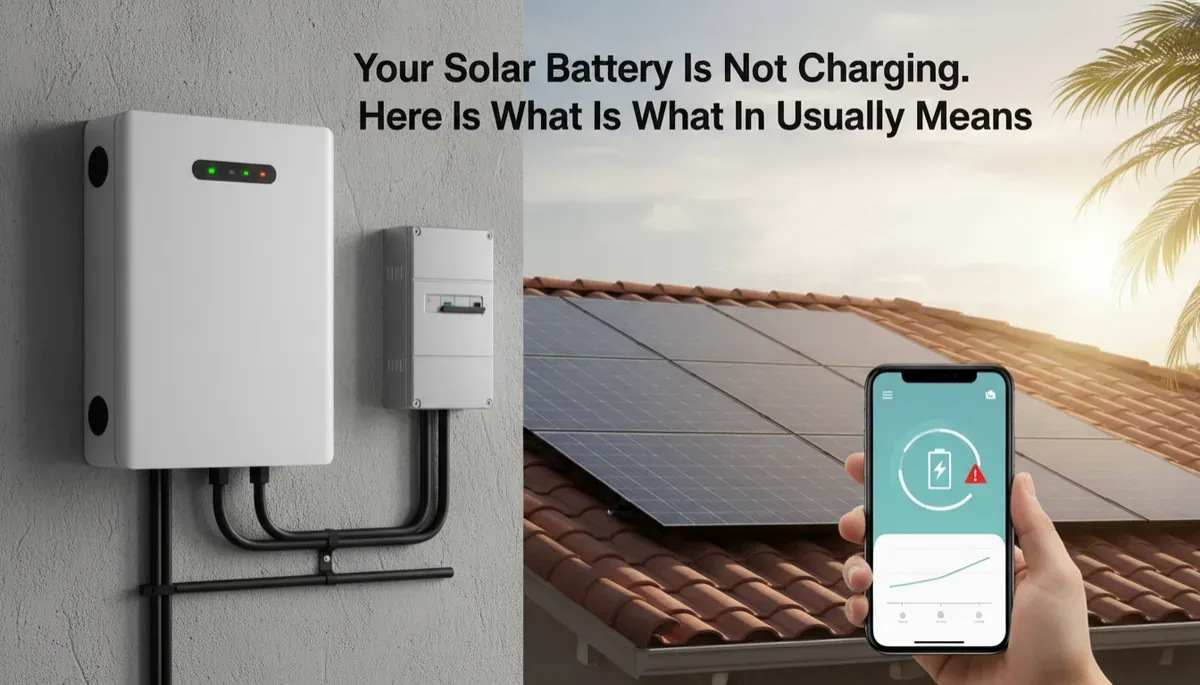
Solar Battery Not Charging in Tampa? Common Causes
If your home battery connected to your solar system is not charging the way it should, whether you see it stuck in your battery app or you noticed it did not carry you through a recent outage, there are a few common reasons behind it. Some are simple settings or weather-related issues, and some require a licensed technician to track down and correct. The goal is to sort out which situation you are in so you know what to do next. Fused Solar and Roofing is a licensed roofing (CCC1331058), electrical (EC13014750), and building contractor (CBC1252064) — all three in-house.
1. A battery that will not charge is telling you something
When a solar battery stops charging, charges less than it used to, or seems to sit at the same level day after day, it is not being random. The battery and the equipment around it are reacting to conditions. That reaction can come from the way the system is set up, from how much solar power is reaching it, from the environment the battery is in, or from a fault somewhere in the chain between the roof and your main electrical panel. In other words, the behavior you see is a symptom, not the whole story.
For a Tampa Bay homeowner, this often shows up in one of a few ways. You open the battery app and see the charge level barely move all day, even on a bright day. You notice the battery used to carry your home longer during an outage than it does now. Or you see a message in the app that mentions limited charging, standby, or a fault. It is natural to wonder if the battery itself has “gone bad,” but in many cases the root cause is somewhere else, or is a setting that can be adjusted once it is properly diagnosed. The important thing is not to ignore the behavior or try to reset things blindly. Treat it as a clear sign that the system needs a closer look from someone who works on batteries and solar every day.
📌 Key Takeaway: A solar battery that is not charging is usually reacting to a setting, a production problem, or a fault. Each one has a different fix, which is why finding the cause matters.
2. How a solar battery normally charges
To understand what might be wrong, it helps to understand what “normal” looks like. In a typical Tampa Bay home, the solar array on the roof produces power during the day. That power is routed through an inverter and control equipment that decide where it goes first: to the home’s current electrical use, to the battery, or out to the grid. When the system is set up for backup power or self-consumption, the battery is usually charged from the solar production during daylight hours, building up stored energy for the evening or for an outage. You can usually see this as a rising charge level in your battery app as the day goes on, especially on clear days when the array is producing steadily.
Some systems are also able to charge the battery from the grid, depending on how they were designed and set up. In those cases, the control equipment decides when it makes sense to pull power from the grid into the battery, often based on the operating mode chosen during installation or during a later adjustment. Not every system in Tampa Bay is enabled to do this, and whether it is a good fit for you depends on how you use your battery and what your goals are for it. The important point is that the battery does not decide on its own where to get power. It follows the logic that was programmed into the system during setup, within the limits built into the equipment by the manufacturer.
Operating modes and reserve settings control when the battery charges, when it discharges, and how much it holds back for outages. One mode might prioritize using solar power to run your home during the day and only charge the battery with whatever is left over. Another might focus on building up the battery early so it is ready if the grid goes down. A reserve setting tells the battery to hold a certain portion of its stored energy in case of an outage, instead of using it all for day-to-day power use. Different manufacturers and system designs handle these choices in different ways, and the names they use in the app can vary. That is why two Tampa Bay neighbors with solar and batteries can see very different charge patterns, even on the same weather day, and both be operating normally for their specific settings.
When everything is working properly, you see a pattern that fits your home and your settings: solar production during the day, the battery charge level responding in a way that makes sense for your chosen mode, and the battery discharging when the sun is down, the grid is out, or both. When that pattern changes suddenly, or never seems to make sense, that is when a closer look is needed.
Battery not charging? Fused Solar and Roofing diagnoses and services home battery systems across Hillsborough, Pinellas, Pasco, and Manatee counties. Request a diagnostic visit at https://fusedsolarandroofing.com/solar-repair
3. Common reasons a battery is not charging
When a home battery in Tampa Bay is not charging the way you expect, the cause usually falls into one of several categories. These are possibilities that a proper diagnosis will sort through, not items you need to test on your own. The first possibility is that there simply is not enough solar production reaching the battery. Heavy clouds, storms, seasonal sun angles, or new shade from trees and nearby buildings can cut the power coming off the roof. In other cases, part of the array may have a problem, such as an issue with wiring, a connection, or a device under the panels, so less power is available to send to the battery even on a clear day. From the homeowner’s point of view, the battery just looks like it is not charging, but the real limitation is what is arriving from the roof.
Another possibility is that your operating settings are directing solar power somewhere else before the battery. Some systems are set up to run the home’s daytime loads first, then charge the battery only with what is left. If your daytime use has changed, or if a mode was changed at some point, more of that solar power could be going to your air conditioning, pool pump, or other household use, leaving less for the battery. Because each manufacturer and system design presents these settings differently, it is not always obvious from a quick look at the app what the system is prioritizing. A technician familiar with different platforms can look at the operating mode and explain whether the behavior you see matches the current configuration or not.
A third scenario is that the battery is holding at a set reserve level. In that case, the battery may appear not to charge beyond a certain point, even though it is working as instructed. The system is essentially saying, “I have reached the level I was told to maintain for backup,” and it will hover there unless a change is made to the settings or the home uses some of that stored energy. From the app’s point of view, this can look like a flat line that never rises, which is easy to mistake for a charging problem. Sorting out whether you are seeing a reserve level or a genuine charging issue is part of what a diagnostic visit does, and it avoids guessing at settings that might affect your backup power when you need it most.
Communication problems are another common source of confusion. Your battery, inverter, control equipment, and monitoring app all need to talk to each other. If the app loses contact with the system, is out of date, or the communication gateway is not working correctly, the information you see on your phone or tablet may not match what the hardware is actually doing. You might see the battery listed as “offline” or stuck at one level, when in reality it is operating but the reporting path is broken. A technician will treat the app as one piece of evidence and confirm what is happening at the equipment itself, so decisions are based on the actual system behavior, not just on what the app shows on one device in your home.
Heat can also affect how a battery charges. In Tampa Bay, many batteries are installed in garages or on exterior walls. In the warmer months, those spaces can get hot enough that the battery’s internal protections limit charging to protect its components. When that happens, the system may slow down charging or avoid charging during the hottest part of the day. From your point of view, the battery charge level may rise more slowly than it used to, or not reach the level you expect, even though there is enough solar production on the roof. Part of a thorough diagnostic is looking at where the battery is installed, how that space behaves in the afternoon, and whether heat is playing a role in the charging pattern you see.
Finally, there can be a fault in the battery itself or in its connections. Over time, electrical components can develop problems, and protective systems inside the equipment can respond by limiting or stopping charging. There can also be issues in the wiring and breakers between the battery, the inverter, and your home’s electrical panel. These are not items for a homeowner to open or test, but they are part of what a licensed technician will check. The key point is that a battery that is not charging is not always a simple “battery failure.” It is a system behavior that needs to be traced through the battery, the control equipment, and the solar array to find the real cause and the right fix.
💡 Pro Tip: Take screenshots of your battery app showing the charge level, the operating mode, and any alerts, and note the date and weather. That record helps a technician before they arrive.
4. What to note before calling
Before you call for service, there are a few simple steps you can take that make a diagnostic visit more efficient, without touching any equipment or changing any settings. The first is to take screenshots of your battery app. Capture the current charge level, the operating mode, and any alerts or messages you see. If the app has a screen that shows how the battery has behaved over the last day or two, take a screenshot of that as well. These images give the technician a snapshot of what the system is reporting and how it has been behaving leading up to your call, which can save time once they are on site.
Next, note the date and the weather on the days when you noticed the problem. Was it a clear, sunny day when the battery did not seem to charge, or was it cloudy and stormy? Did you notice the issue after a stretch of particularly hot days in Tampa Bay, or after a major storm moved through? This context helps separate issues caused by temporary conditions from issues that point to a problem in the system itself. You do not need to track anything in a complicated way; a simple note on your phone or a piece of paper is enough to give the technician useful background information when they arrive.
It also helps to note whether the solar system appears to be producing. If your monitoring shows solar production, or if you have noticed the system behaving differently at the main electrical panel or at the inverter display, mention that when you call. Do not try to test anything directly. Just share what you have observed in normal use. The combination of screenshots, dates, weather, and your observations of solar production gives the technician a clear starting point, and can sometimes point them toward a likely cause before they even step into your garage or side yard.
Just as important as what you can do is what you should not do. Do not open, unplug, move, or cover the battery. Do not open any electrical equipment, including breakers, disconnects, or enclosures near the battery or inverter. Do not change settings in the app or on the equipment if you are not completely sure what they do. A home battery stores a significant amount of energy and is part of your home’s electrical system. Leaving the hardware and wiring untouched allows the technician to see the system in its current state and diagnose it safely, without having to undo well-intended but risky changes.
⚠️ Warning: Do not open, unplug, or move the battery, and do not change settings you are unsure about. A home battery stores a significant amount of energy even when it appears idle.
5. Why battery problems need a licensed technician
A home battery is not a simple appliance. It stores a significant amount of energy and is tied into three major pieces of your home’s power system: the solar array on the roof, the home’s electrical panel, and the grid connection. A charging problem can start in any one of those areas. It might be a setting in the control equipment, a limitation inside the battery, an issue in the wiring and breakers that connect everything, or a problem on the roof that is reducing the power available to charge the battery. Finding out which of those is responsible requires someone who understands and works on all of those parts as a system, not in isolation.
Work on battery systems is licensed electrical work. The technician needs to understand how the battery, inverter, control equipment, and panel interact, and how to test and adjust them safely. They also need to recognize when the root cause is in the solar array itself, or in how the system was originally integrated into your home. This is not the place for trial and error or for guessing at settings. A careful, methodical approach protects your home, your equipment, and your ability to rely on the battery during storms and outages in Tampa Bay’s active weather seasons.
Fused Solar and Roofing services battery and solar systems of all brands, including systems whose original installer is no longer in business. Because the company’s teams work on batteries, inverters, control equipment, solar arrays, and roofing every day, they are used to tracking down issues that cross between those areas. Whether the problem turns out to be a setting, a wiring issue, a piece of equipment that needs repair, or a fault in part of the array, you are not left trying to coordinate between multiple contractors to get your system back to normal. Fused Solar and Roofing is a licensed roofing (CCC1331058), electrical (EC13014750), and building contractor (CBC1252064) — all three in-house.
6. What a diagnostic visit involves
When you schedule a diagnostic visit for a battery that is not charging, the process is structured and thorough. A licensed technician starts by reviewing your battery app with you. They look at the charge level history, the operating mode, any alerts, and how the battery has behaved over recent days. They compare that information with your notes about weather and outages, and with what you have noticed in your home. This conversation helps align what the app is reporting with what you are experiencing, and it often points to whether the issue is more likely to be related to production, settings, or equipment behavior.
Next, the technician inspects the battery, the inverter, the control equipment, the breakers, the disconnect, and the wiring and connections that can be reached without removing panels or opening sealed components. They look for visible signs of wear, damage, or stress on the equipment and wiring, and they confirm that switches and disconnects are in the correct positions. They also look at where the battery is installed and how hot that space tends to get, especially in Tampa Bay’s warmer months. This helps them judge whether heat is likely to be affecting how the battery charges or discharges during the day. At the same time, they confirm whether the solar system is producing power as expected, based on the information available at the inverter, control equipment, or monitoring system.
Throughout the visit, the technician documents what they see. The homeowner receives photographs and a detailed written report that explains the condition of the battery, the related equipment, and any visible parts of the solar system that affect charging. The report outlines what is working normally, what is not, and what the likely causes are based on the findings. If a repair, adjustment, or further work is needed, that work is clearly scoped and quoted from the diagnostic results, so you know exactly what is being recommended and why before any changes are made to your system. Fused Solar and Roofing is an EnergySage Elite Installer with a 5.0/5 rating and 21+ verified reviews — independent verification, earned not purchased.
📌 Key Takeaway: Fused Solar and Roofing diagnoses and services home battery systems of all brands under electrical license EC13014750, including systems whose original installer is no longer in business.
7. When the problem is the solar array on the roof
A battery can only charge from the solar power that reaches it. If the array on your roof is not producing properly, the battery will not receive the energy it needs, even if the battery itself is in good condition. Sometimes this shows up as a gradual change, where the battery does not seem to charge as fully as it used to, or takes longer to reach its normal level. In other cases, the change is sudden. From your point of view, the battery looks like the problem, but the real issue is that less power is arriving from the roof than the system expects. That is why confirming solar production is a standard part of any diagnostic visit for a battery that is not charging.
If part of the array has stopped producing because of a fault in wiring, a connection, or a device under the panels, the only way to reach that fault is to remove the panels above it. This is called a detach and reinstall. During a detach and reinstall, the system is shut down, the affected panels are removed, the fault is accessed and repaired, and then the panels are reinstalled, reconnected, and tested. This work needs to be done carefully so that both the electrical system and the roof remain sound. Once the fault is corrected and the array is producing properly again, the battery can receive the solar power it needs to charge as designed, assuming the rest of the system is functioning normally.
A detach and reinstall also raises a practical question about the roof itself. If the roof under the array is older, having the panels off creates a natural opportunity to ask whether the roof should be inspected or replaced before the panels go back on. This is not about pushing a roof project you do not need. It is about avoiding a situation where the array has to be removed again soon for roofing work that could have been addressed while the panels were already off. In Tampa Bay’s climate, where roofs and solar arrays both work hard, it is reasonable to ask that question when the system is open for repair. The answer may be that the roof is in good shape, or it may be that planning ahead now will save disruption later. Either way, it is a decision best made with clear information while the system is already being worked on.
Fused Solar and Roofing’s in-house electrical and roofing crews handle the battery, the array, and the roof, so it is one job under one company. If your battery charging issue turns out to be tied to a fault under the array, you are not left coordinating between separate solar and roofing contractors to get the problem resolved. The same team that diagnosed the battery behavior can oversee the detach and reinstall, address the fault, and discuss any roof questions with you in a straightforward way. That unified approach keeps the focus on getting your system back to producing and charging the way it should, with a clear plan for both the electrical and roofing sides of the work.
8. Getting the battery charging again
Once the cause of the charging issue has been identified and the repair or adjustment is complete, the next step is to confirm that the battery is charging normally again. The technician will bring the system back online in a controlled way and watch how the battery responds as solar production comes in or, if your system allows it, as power is drawn from the grid according to its configuration. They compare this real-time behavior with what the equipment should be doing based on its design and your chosen operating mode. This confirmation step is important. It ensures that the issue has been resolved and that there are no new alerts or unexpected behaviors before the visit is complete.
During this process, the technician walks you through what your battery app should show on a normal day. They explain how the charge level should behave when the sun is out, when it is cloudy, and when the grid is down. They also explain what the reserve setting means for your specific system, and how that setting affects what you see in the app. Understanding this helps you recognize the difference between normal variations and signs that something might be wrong. Instead of guessing at what a flat line or a slower charge means, you will know what to look for and when it is time to call for help again in the future.
The goal is for you to finish the process with a battery that is charging properly and with a clear, plain-language understanding of how it should behave. You do not need to become an expert in solar equipment or electrical systems. You just need to know what “normal” looks like for your home, and who to call if you see something different. With a clear diagnosis, careful repair, and a walkthrough of the app and settings, your battery can go back to doing what it was installed to do: support your home, especially when the weather and the grid are at their most unpredictable.
Frequently Asked Questions
1. Why is my solar battery not charging?
A solar battery that is not charging is usually reacting to something in the system around it. There may not be enough solar power reaching it because of weather, shade, or a problem in part of the array. The operating settings may be sending solar power to your home’s loads before the battery, or the battery may be holding at a reserve level that makes it look like it is stuck. There can also be communication issues between the battery, inverter, control equipment, and monitoring app, or a fault in the battery or its connections. A licensed technician can sort through these possibilities, confirm where the issue really is, and recommend the right fix.
2. Why does my battery stop at the same charge level every day?
If your battery seems to stop at the same charge level every day, it may be holding at a set reserve. Many systems are configured to keep a portion of the battery in reserve for outages, especially in areas like Tampa Bay where storms and grid interruptions are common. When the battery reaches that reserve level, it may stop charging further or may appear to hover around that point, even though it is following the instructions it was given. In other cases, that pattern can point to a limit in solar production or to a setting that prioritizes other uses for your solar power. A technician can review your app and equipment and explain which situation applies to your system.
3. Can heat keep my solar battery from charging?
Yes. Heat can affect how a solar battery charges. Many batteries are designed to protect themselves by limiting charging when the surrounding temperature is too high. In Tampa Bay, batteries installed in garages or on exterior walls can experience high heat, especially in the afternoon. When that happens, the system may slow or reduce charging to protect the equipment, which can make the battery appear to charge less than it did in cooler months. Part of a diagnostic visit is evaluating where your battery is installed and how that environment may be influencing its behavior, then recommending practical steps if changes are needed.
4. Why does my battery app say the battery is offline?
When your battery app says the battery is offline, it often means the app has lost communication with the system, not necessarily that the battery has stopped working. The connection between the app, the control equipment, and the battery can be interrupted by network issues, changes in home internet equipment, or problems with the communication hardware. In some cases, the battery may still be charging and discharging, but the app cannot see it correctly. A technician will verify what the equipment itself is doing, separate communication issues from hardware issues, and restore accurate monitoring so that what you see in the app matches what is happening in your home.
5. Is it safe to keep using my solar system if the battery is not charging?
In many homes, the solar system and the battery can operate somewhat independently. The solar may still produce power for your home and the grid even if the battery is not charging. However, because the battery is tied into your electrical panel and the solar equipment, any unexpected behavior is a sign that the system should be checked by a licensed technician. Rather than trying to disable parts of the system yourself, it is better to schedule a diagnostic visit. The technician can confirm how the system is operating, explain any limitations while the issue is present, and recommend whether any temporary changes are appropriate until the underlying problem is resolved.
6. My original solar installer is out of business. Who can service my battery?
If your original solar installer is no longer in business, you are not stuck. Fused Solar and Roofing services battery and solar systems of all brands, including systems installed by companies that have closed or left the area. Because the company has in-house electrical and roofing teams, it can diagnose issues in the battery, inverter, control equipment, wiring, and array, and handle any needed detach and reinstall work on the roof. That means you can get your system evaluated and repaired without having to track down multiple contractors or rely on the original installer still being available.
Fused Solar and Roofing is a licensed electrical contractor (EC13014750) servicing solar systems of all brands across Hillsborough, Pinellas, Pasco, and Manatee counties, including systems whose original installer is no longer in business. Request a diagnostic visit at https://fusedsolarandroofing.com/solar-repair
Is your solar system producing what it should? Request a diagnostic visit at https://fusedsolarandroofing.com/solar-repair
