Tesla Solar Inverter Not Working? A Tampa Bay Guide
If your Tesla app shows that your solar is not producing, is producing less than usual, or is offline, you are not alone and you are right to look into it. In most cases, the cause is at the inverter, in the wiring, or in the connection to the app, and the goal is to find which one it is and fix it correctly so your system can get back to work. Fused Solar and Roofing is a licensed roofing (CCC1331058), electrical (EC13014750), and building contractor (CBC1252064) — all three in-house.
This guide is written for Tampa Bay homeowners who already have a Tesla solar system on their roof, with or without a Powerwall, and are now seeing something in the Tesla app that does not look right. You may not know where the inverter is, what the different pieces are called, or who you can trust to service it, especially if your original installer is gone. The aim here is simple: explain how the system is laid out, what the app pattern can suggest, why a certified installer matters, and what your next step can be to get a clear diagnosis and a proper repair.
1. When the Tesla app shows solar not producing
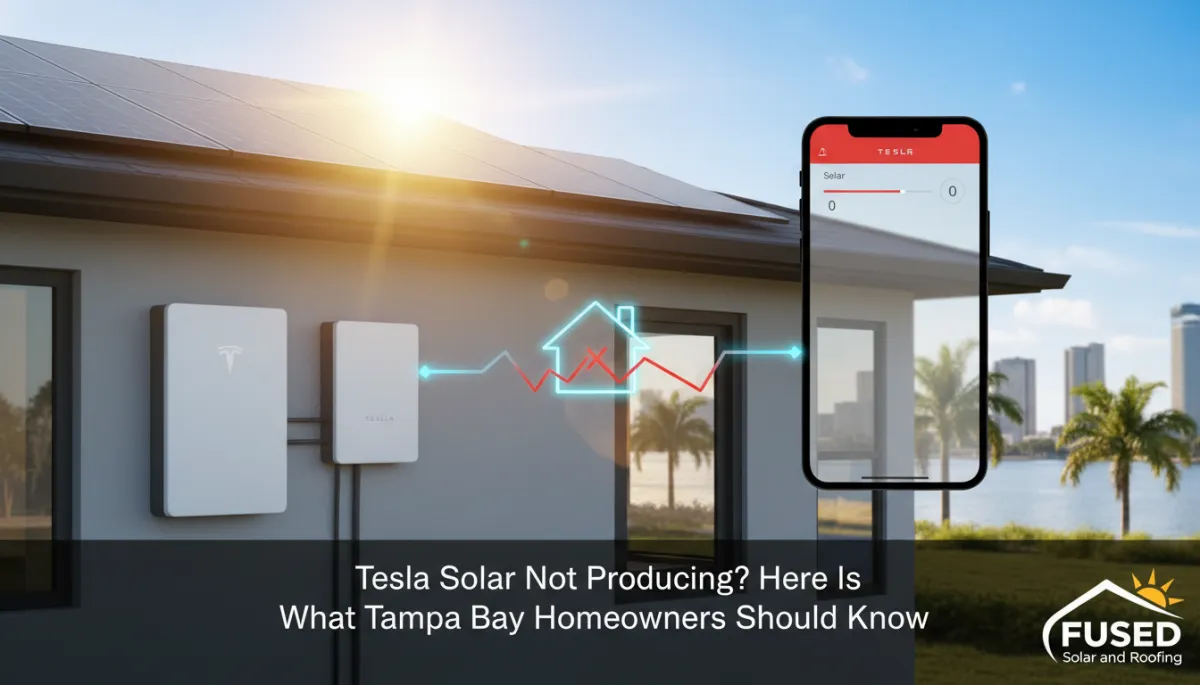
The first sign of a problem for most Tesla solar owners is not on the roof or at the electrical panel. It is on the phone. You open the Tesla app and notice that solar production is at zero in the middle of the day, is much lower than you are used to seeing on clear days, or the system suddenly shows as offline. That is often the moment you realize something has changed, even if the lights in the house are still on and everything inside seems normal.
When this happens, it is natural to wonder whether the panels have failed, whether the inverter has stopped working, or whether it is just the app misreading things. All three are possibilities, and they do not feel the same from a homeowner’s point of view. A true production problem can mean you are using more power from the grid than you expect. A communication issue can mean the system is working but you cannot see it. Sorting those out is the job of a proper diagnosis, not guesswork or trial and error at the breaker panel.
The important thing to keep in mind is that most Tesla solar issues can be located and fixed. Solar systems are made up of defined components and connections. When one part is not behaving, it usually leaves clues in the app, at the inverter, and in the wiring layout. The key is to approach it in an orderly way and involve a licensed professional who works with Tesla systems every day, rather than trying to reset or open equipment yourself. That keeps you safe and protects the system from avoidable damage while the real cause is being found.
📌 Key Takeaway: When the Tesla app shows your solar not producing, the cause is usually at the inverter, in the wiring, or in the connection to the app. Each one has a different fix.
2. How a Tesla solar system is laid out
It helps to picture how your Tesla solar system is put together. On the roof, the solar panels are wired in groups. Each group feeds electricity down to a Tesla inverter, usually mounted on an exterior wall or in the garage. The inverter is the piece that takes the power from the panels and converts it into power your home can use. If the inverter is not working correctly, the panels may still be in sunlight, but the home will not see that production the way it should.
From the inverter, the power ties into your home’s electrical system. That connection is made through wiring, breakers, and a disconnect that allow the system to be installed, serviced, and shut down when needed. Those pieces are usually located near your main electrical panel or along an exterior wall close to where the panels are on the roof. If there is a problem in that path, such as a loose or damaged connection, the system may show reduced production or no production at all, even though the panels and inverter themselves are still in place.
If your home has a Powerwall, there is another important piece called a gateway. The gateway manages how the home, the battery, the solar, and the grid work together. It decides when the Powerwall charges, when it discharges, and how solar production flows between the battery, the house, and the grid. The Tesla app pulls information from the inverter, the gateway, and metering points so you can see solar production, home use, battery activity, and grid use in one place. That is why the app is such a useful starting point: it is a window into how all of those parts are interacting at a given moment and over time.
Understanding this layout at a basic level is enough for most homeowners. You do not need to know every wire or setting. You just need to know that the panels feed the inverter, the inverter feeds the home, and, if present, the gateway and Powerwall manage when and where that energy goes. When something is off, a licensed technician traces that path step by step to see where the power is being interrupted or misreported.
Tesla solar not producing? Fused Solar and Roofing, a Tesla Certified Installer, services Tesla solar systems across Hillsborough, Pinellas, Pasco, and Manatee counties. Request a diagnostic visit at https://fusedsolarandroofing.com/fused-solar-roofing-service-department
3. What the app is telling you
When you open the Tesla app, you are seeing a summary of what the system believes is happening at that moment and what it has recorded over time. Certain patterns can point a technician toward likely areas to investigate, even before they see the equipment in person. That does not replace a site visit, but it does help focus the diagnostic process so your time is used well and the right questions are asked from the start.
One pattern is solar production at zero during daylight hours. If the app shows no solar coming in when the sun is clearly out, that can point toward an issue at the inverter, a breaker, the disconnect, or wiring between those pieces. Somewhere along that path, the power from the panels is not making it into the system the way it should. The exact cause can range from a failed component to a damaged conductor to a connection that needs to be corrected, and it takes proper testing to find out which it is in your case.
Another pattern is solar production that is noticeably lower than usual on clear days, compared to what you have come to expect from your system at the same time of year. When that happens, it can point to a problem with a group of panels or a connection in the path from a section of the array to the inverter. The system may still be producing something, but a portion of the roof is not contributing the way it should. Again, the app does not tell you exactly which connection is at fault, but it does show that the issue may be partial rather than complete, which guides how the system is inspected on site.
A different pattern is when the system shows as offline in the app. In that situation, there are two broad possibilities. One is that the system has truly stopped producing. The other is that the system is still producing power, but the communication link that reports data to the app is not working correctly. That link might be through the inverter, the gateway, or the home’s network connection. A technician will look at both the physical equipment and the app history to see whether this is a communication problem, a production problem, or both at once.
If your home has a Powerwall, it adds one more layer to what the app is showing. A battery issue can look different in the Tesla app from a solar issue. You might see the battery not charging when it normally would, or not discharging during an outage the way you expect, even if solar production appears normal, or the other way around. Both the solar side and the battery side need to be checked so that a problem is not mistaken for something it is not. The goal of a diagnostic visit is to sort these possibilities out carefully and give you a clear explanation of what is actually happening in your specific system.
💡 Pro Tip: Screenshot the power flow screen and the solar history in the Tesla app, and photograph the inverter. Those images show a technician what the system was doing before they arrive.
4. What to note before calling
Before you schedule a service visit, there are a few simple things you can do that make the diagnostic process smoother, without touching any electrical equipment. These are about documenting what you are seeing, not about trying to fix it yourself. Good documentation helps the technician understand how long the issue has been going on and what pattern it is following, which can save time on site and lead to a more precise repair plan.
First, you can take screenshots of the power flow screen and the solar history in the Tesla app. Capture at least one screenshot from a time when you know the issue was present, such as a midday period when production was at zero or much lower than usual, and another from the history view that shows how production has looked over several days. These images give a technician a clear record of what the app has been reporting, even if the data changes by the time they arrive at your home. They can also help distinguish between a brief dip and a longer-term change in behavior.
Second, you can photograph the inverter from a normal standing position. There is no need to zoom in on labels or open anything. A straightforward photo that shows how the inverter is mounted, where the conduits enter and leave, and what is around it is enough. If you have a Powerwall and a gateway, a photo that shows how those are arranged in relation to the inverter is also useful. These images help the technician plan what they will need for the visit and understand the layout of your system before they step onto the property.
Third, make a simple note for yourself about what you are seeing and when. Note whether production is at zero, noticeably low, or not showing at all in the app. Write down the date and the general weather conditions, such as clear, partly cloudy, or rainy. You do not need to track every hour. A few clear examples are enough to give context. When you talk with a service department, you can share these notes and images so they have a clear picture of the issue from your point of view.
Just as important is what you should not do. You should not go on the roof, open the inverter, gateway, disconnect, or electrical panel, or switch anything off and on in an attempt to reset the system. Solar equipment can still carry voltage whenever the panels are in sunlight, and the way the system is wired means that a switch or breaker can affect more than it appears to. Leaving the equipment closed and untouched keeps you safe and preserves the system in the state the technician needs to see in order to diagnose it accurately.
⚠️ Warning: Do not open the inverter, the gateway, or any electrical panel, and do not go on the roof. Solar equipment can carry voltage whenever the panels are in sunlight.
5. Why a certified installer matters on a Tesla system
A Tesla solar system, and especially one with a Powerwall, is more than a set of panels on a roof. It is an integrated system where the inverter, the gateway, the battery, and the home’s electrical panel all work together. Power flows between these pieces in specific ways, and the Tesla app is built to reflect that flow. When something goes wrong, the issue may not be isolated to a single box on the wall. It often involves how the components are connected and how they are communicating with each other and with the home’s wiring.
Diagnosing and servicing this type of system takes familiarity with how those pieces connect, and the work itself is licensed electrical work. That means the person working on your system should understand both the Tesla equipment and the underlying electrical installation standards that keep your home safe. They should be able to read the layout of the system, interpret the app data, and trace the path of power and communication signals in a methodical way. This is not the place for guesswork or trial repairs that “might” solve it but do not address the real cause.
Fused Solar and Roofing is a Tesla Certified Installer and services Tesla solar systems, including systems whose original installer is no longer in business. That matters for many Tampa Bay homeowners who had their systems installed years ago and now find that the company that sold them the system is no longer answering the phone. In those situations, you still need someone who knows how to work on Tesla equipment and who is properly licensed to perform electrical and roofing work as needed. Having all of that under one roof means the same company can handle issues at the inverter, the wiring, and, when necessary, the roof under the array without handing you off to multiple contractors.
When you invite a company to work on your Tesla solar system, you are not just asking them to fix a box. You are asking them to take responsibility for how your solar, your Powerwall if you have one, and your home’s electrical system interact. That responsibility should rest with a contractor that holds the proper licenses and has direct experience with Tesla systems in real Tampa Bay homes. Fused Solar and Roofing is a licensed roofing (CCC1331058), electrical (EC13014750), and building contractor (CBC1252064) — all three in-house.
6. What a diagnostic visit involves
When you schedule a diagnostic visit for a Tesla solar issue, the goal is clear: identify whether the problem is at the inverter, in the wiring, on the roof, or in communication, and give you a straightforward plan to address it. The visit starts with a licensed technician reviewing the Tesla app data with you. They will look at your screenshots and the current readings in the app, ask when you first noticed the issue, and compare that information with what they see on site. This conversation helps align what the system is reporting with what you have experienced day to day in the home.
After that, the technician inspects the inverter, the gateway if there is one, the breakers, the disconnect, and the wiring and connections that can be reached without removing panels. They are looking for signs that explain the patterns seen in the app: a component that is not operating correctly, a connection that is not sound, or a communication path that is not reporting as it should. They follow the logical path of the system, starting from the equipment on the wall and moving along the wiring that ties it into your electrical panel and, if present, your Powerwall and gateway arrangement.
In some cases, the technician can identify the issue entirely from this ground-level and wall-mounted inspection. In other cases, the visit will show that the problem is likely on the roof, under the panels, which requires a separate step called a detach and reinstall. Either way, you will receive photographs and a detailed written report of what was found. The report explains where the fault appears to be, how it affects your system, and what the recommended repair or replacement involves. Any repair or replacement is then scoped and quoted from those findings so you can make an informed decision about how to proceed.
Fused Solar and Roofing is an EnergySage Elite Installer with a 5.0/5 rating and 21+ verified reviews — independent verification, earned not purchased. Fused Solar and Roofing is a Tesla Certified Installer. Those facts reflect a track record of working with solar and roofing systems in the Tampa Bay area and providing homeowners with clear documentation and follow-through when service is needed. During and after the diagnostic visit, you should feel that you understand what was checked, what was found, and what your options are, without pressure or vague explanations.
📌 Key Takeaway: Fused Solar and Roofing is a Tesla Certified Installer and services Tesla solar systems under electrical license EC13014750, including systems whose original installer is no longer in business.
7. When the fault is on the roof
Sometimes, the diagnostic visit shows that the fault is not at the wall but on the roof, in wiring or a connection under the panels. In that case, the issue is not accessible from the ground or from the inverter location alone. Reaching it means removing the panels above it so the wiring and connections underneath can be inspected and repaired. This process is called a detach and reinstall, and it is a planned, controlled way to access roof-level components that are normally hidden from view once the system is installed and running.
During a detach and reinstall, the system is shut down in a safe and orderly way. The affected panels are removed from the roof and set aside so the area beneath can be reached. The fault in the wiring or connection is then repaired or replaced as needed. Once that work is complete, the panels are reinstalled, reconnected, and tested. The testing step is important; it confirms not only that the repaired section is working, but that the system as a whole is producing and reporting correctly again through the Tesla app and through the home’s electrical panel. The aim is to return the system to a stable, reliable state, not just to address a single symptom and walk away.
When panels come off the roof for a detach and reinstall, it naturally raises another question: what is the condition of the roof under the array, and is this the right time to address any roofing work that may be needed? Having panels off is the most practical moment to ask that question because the area is already accessible and the roofing surface is exposed. This is not about selling you a roof you do not need. It is about making a thoughtful decision while the system is already open, instead of putting the panels back on and then needing to remove them again later for roof work that could have been handled at the same time.
Fused Solar and Roofing’s own in-house electrical and roofing crews handle both the solar detach and reinstall and any roofing repairs or replacement you choose to move forward with, so it remains one job under one company. That coordination matters when the work involves both the surface of the roof and the solar equipment mounted on it. You get a single plan, a single schedule, and a single point of contact, rather than trying to coordinate between a roofer and a separate solar contractor who may not be familiar with Tesla systems. The result is a cleaner, more efficient path back to a working system and a sound roof beneath it.
8. After the repair
Once the repair is complete, whether it was at the inverter, in the wiring, on the roof, or in the communication path, the final step is to confirm that everything is operating the way it should. The technician will verify that the solar is producing and showing correctly in the Tesla app. That includes checking the real-time power flow and the production history to make sure the numbers and patterns match what is expected for the conditions at the time of testing. If the system had been showing as offline, this is also when the communication link is confirmed to be restored and stable.
If your home has a Powerwall, the technician will confirm that it is operating normally as well. That means checking that the battery is charging from solar when it should, discharging when it is set to do so, and appearing correctly in the Tesla app alongside solar production, home use, and grid use. Because the solar, the Powerwall, and the home’s electrical panel work together, it is important to look at the system as a whole at the end of the repair, not just the one component that was serviced. You should leave the visit knowing that the entire setup has been checked for proper interaction, not just turned back on and left to run without verification.
Finally, the technician should show you what a normal day looks like in the Tesla app for your system, so you can spot a problem quickly in the future. That might include pointing out the typical shape of your daily production curve, how the Powerwall behaves during the day and at night if you have one, and how grid use appears when everything is working smoothly. With that understanding, you can use the app as an early warning tool. If you see a pattern that does not match what you have been shown as “normal” for your home, you will know it is time to reach out for a diagnostic visit rather than waiting and hoping it resolves on its own.
Frequently Asked Questions
1. Why does my Tesla app show my solar is not producing?
When the Tesla app shows your solar not producing during daylight hours, it usually means the system is not seeing power come through the normal path from the panels, through the inverter, and into the home. That can be due to an issue at the inverter, in the wiring, at a breaker or disconnect, or in how the system is communicating its status to the app. The app alone cannot tell you which of those it is, but it does tell you that something has changed and that a licensed technician should check the system to locate the exact cause and recommend a proper fix.
2. My Tesla app shows the system offline. Is my solar still working?
If the app shows your system offline, it may mean the solar is not producing, or it may mean the communication link between the system and the app is not working correctly. In some cases, systems continue to produce power even when the app cannot see them. In other cases, the offline status reflects a real production problem. A diagnostic visit looks at both the physical equipment and the app history to determine whether you have a communication issue, a production issue, or both, and then lays out the steps to correct it.
3. Can a Powerwall problem look like a solar problem in the Tesla app?
Yes, a Powerwall problem can sometimes look like a solar problem in the Tesla app, and the reverse can also happen. For example, you might see the battery not charging or discharging as expected and assume it is a solar issue, when the solar side is working and the battery side needs attention. Because the solar, the Powerwall, and the gateway are all connected, changes on one side can affect what you see in the app on the other. That is why a technician checks both the solar and the Powerwall when diagnosing an issue, instead of assuming the first thing that looks unusual is the root cause.
4. Can a company other than my original installer service my Tesla solar system?
Yes. Your original installer does not have to be the one who services your Tesla solar system. What matters is that the company working on it is properly licensed for electrical work and familiar with Tesla equipment. Fused Solar and Roofing is a Tesla Certified Installer and services Tesla solar systems in Tampa Bay, including systems whose original installer is no longer in business. If you are unsure who to call, choosing a contractor with direct experience on Tesla systems and in-house electrical licensing is a practical way to move forward.
5. Does fixing my Tesla solar mean taking panels off the roof?
Not always. Many issues can be diagnosed and repaired at the inverter, the wiring near it, the gateway, or the breakers and disconnects, without removing any panels. However, if the fault is found to be in wiring or a connection under the panels on the roof, then a detach and reinstall is needed to reach it. In that case, the affected panels are removed, the fault is repaired, and the panels are reinstalled and tested. Your diagnostic report should make it clear whether your particular issue requires roof-level work or can be handled at the wall and ground level.
6. My original solar installer is out of business. Who can service my Tesla solar system?
If your original solar installer is out of business, you can still have your Tesla solar system serviced by another qualified company. Look for a contractor that is a Tesla Certified Installer and holds the proper electrical and, when needed, roofing licenses. In the Tampa Bay area, Fused Solar and Roofing services Tesla solar systems, including orphaned systems whose original installer is no longer operating. The important thing is to choose a provider that understands Tesla systems and can take responsibility for both the electrical and roofing sides of the work when they overlap.
Fused Solar and Roofing is a licensed electrical contractor (EC13014750) servicing solar systems of all brands across Hillsborough, Pinellas, Pasco, and Manatee counties, including systems whose original installer is no longer in business. Request a diagnostic visit at https://fusedsolarandroofing.com/fused-solar-roofing-service-department
Is your solar system producing what it should? Request a diagnostic visit at https://fusedsolarandroofing.com/fused-solar-roofing-service-department